pdk diag
pdk diag inspects the active Python environment, project configuration,
dependency declarations, managed files, renderers, repository, and template
metadata. The default run is deterministic, offline, and read-only.
For the complete catalogue of stable check IDs and their remediation, use the Diagnostics guide.
The shared status guide explains normal
PASS, WARN, and FAIL results.
Synopsis
Use the read-only report first; add dry-run or apply only for bounded repairs.
pdk diag [OPTIONS]
pdk diag --dry-run [--apply-check CHECK_ID ...]
pdk diag --apply [--apply-check CHECK_ID ...]
Working directory
Run Diagnostics from the project root, the directory containing
zensical.toml, .venv, and normally .git. To inspect another configuration
deliberately, pass --config-file PATH.
After Bootstrap, complete the project activation and checks first. The parent setup environment stays active when you merely change directory.
If the project has a .venv but another Python environment is active,
Diagnostics reports that mismatch and stops after the environment preflight.
Renderer failures and Adopt work would describe the wrong environment, so they
are deliberately not assessed. Diagnostics prints the command for the current
platform: source .venv/bin/activate on macOS and Ubuntu. On Windows it prints
this safe PowerShell sequence:
It then asks you to rerun pdk diag for the complete report. You are already
in the project root, so no additional cd command is needed.
If the current directory holds one or more project repositories, Diagnostics refuses to start and names them:
Error: C:\path\to\workspace holds projects rather than being one (report-student).
Open a terminal in the project you want checked, or cd into it.
In another wrong directory, the report can instead contain FAIL Project
configuration could not be loaded followed by project configuration not
found: .../zensical.toml. These are location errors; change directory rather
than repairing the unrelated folder.
Options
Table 36.1 lists diagnostic reporting and repair controls.
1. Diagnostics options
| Option | Behaviour |
|---|---|
-f, --config-file PATH |
Read a configuration other than zensical.toml. |
-v, --verbose |
Show resolved paths, versions, and passing evidence. |
-o, --online |
Also query PyPI, npm advisories, and the recorded template revision. |
--json |
Emit stable structured output for CI or a support request. |
-n, --dry-run |
Show every bounded repair option and command; change nothing. |
-a, --apply |
Consider supported repairs, with a separate default-No confirmation before every mutation. |
--apply-check CHECK_ID |
Limit dry-run or apply mode to one stable check ID; repeat as needed. |
-h, --help |
Show installed help and exit. |
Repair-plan output
Figure 36.1 shows the repair-plan structure. Use section 29.1, Scan phases and activities for the complete explanation of dry-run and apply output:
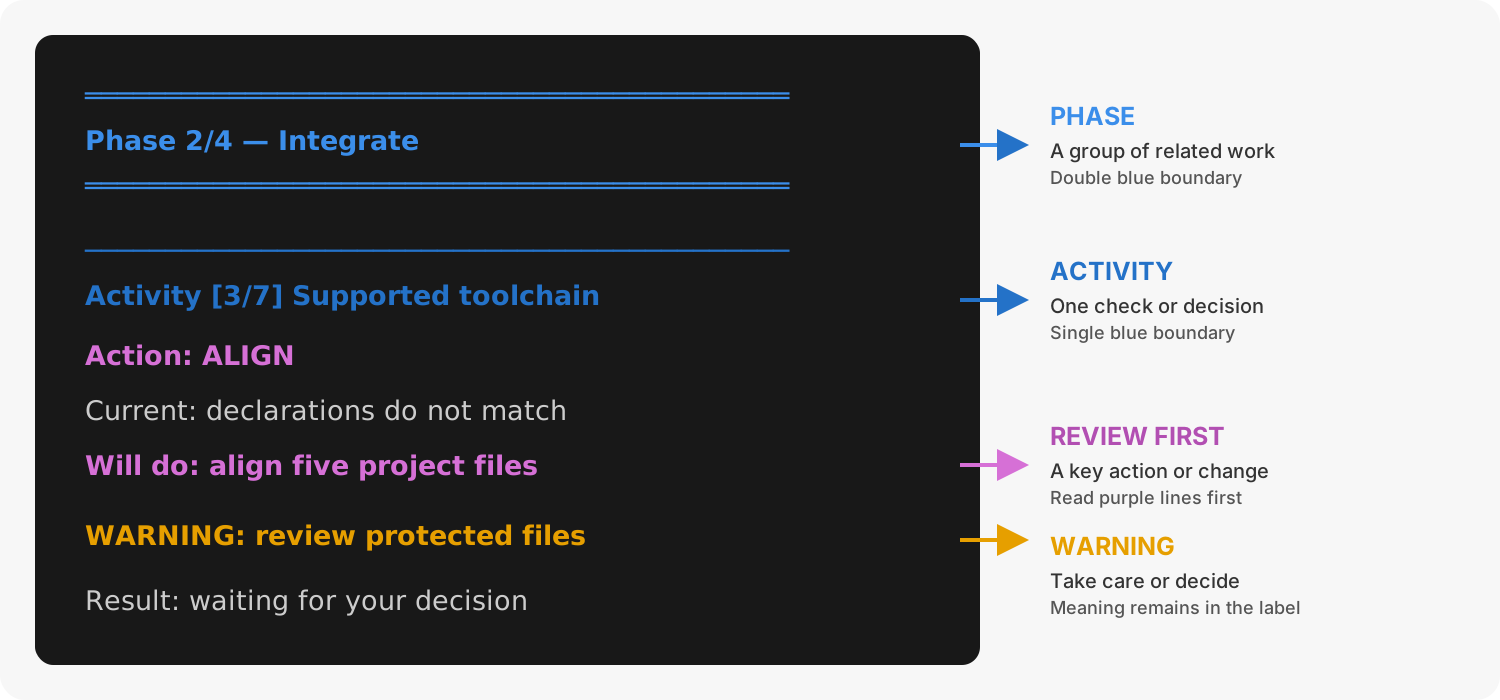
1. Diagnostics repair-plan output structure
Repair boundary
--apply is not a blanket fixer. It prints the complete plan first, then asks
for a decision and an exact y confirmation for each eligible action. It
refuses redirected input and CI use. Repairs are independent of
prodockit-template; template updates remain the responsibility of
template-sync.
Network use
The default is offline. --online adds current-release, advisory, and remote
template checks. Renderer installation is considered only when online mode is
explicitly selected.
Exit status
Table 36.2 separates cautions from required failures.
2. Diagnostics exit status
| Result | Exit status |
|---|---|
PASS |
Zero. Every required check passed. |
WARN |
Zero. Required checks passed but the warnings need review. |
FAIL |
Non-zero. At least one required check failed. |
Related commands
Use the command named by the diagnostic result rather than treating apply as a blanket repair:
pdk adoptapplies project integration activities named by the Adopt-readiness check.pdk pinsowns reviewed version-selection decisions.pdk template-syncchecks and applies remote template changes.