Reading command output
Prodockit's longer commands use one presentation language for checks, decisions, changes, and verification. Learn it once, then use the same visual landmarks in Bootstrap, Adopt, diagnostic repairs, and Template Sync. Pins uses the same decision vocabulary without the complete phase-and-activity frame.
The words are authoritative: colour helps you scan a long report, but never carries meaning on its own.
Scan phases and activities
A phase groups related work. An activity is one check or decision inside that phase. The current and total numbers show where you are without implying that every activity needs a change.
Figure 34.1 keeps the command's own counters separate from the labels that explain its colour and structure. Select the figure to enlarge it.
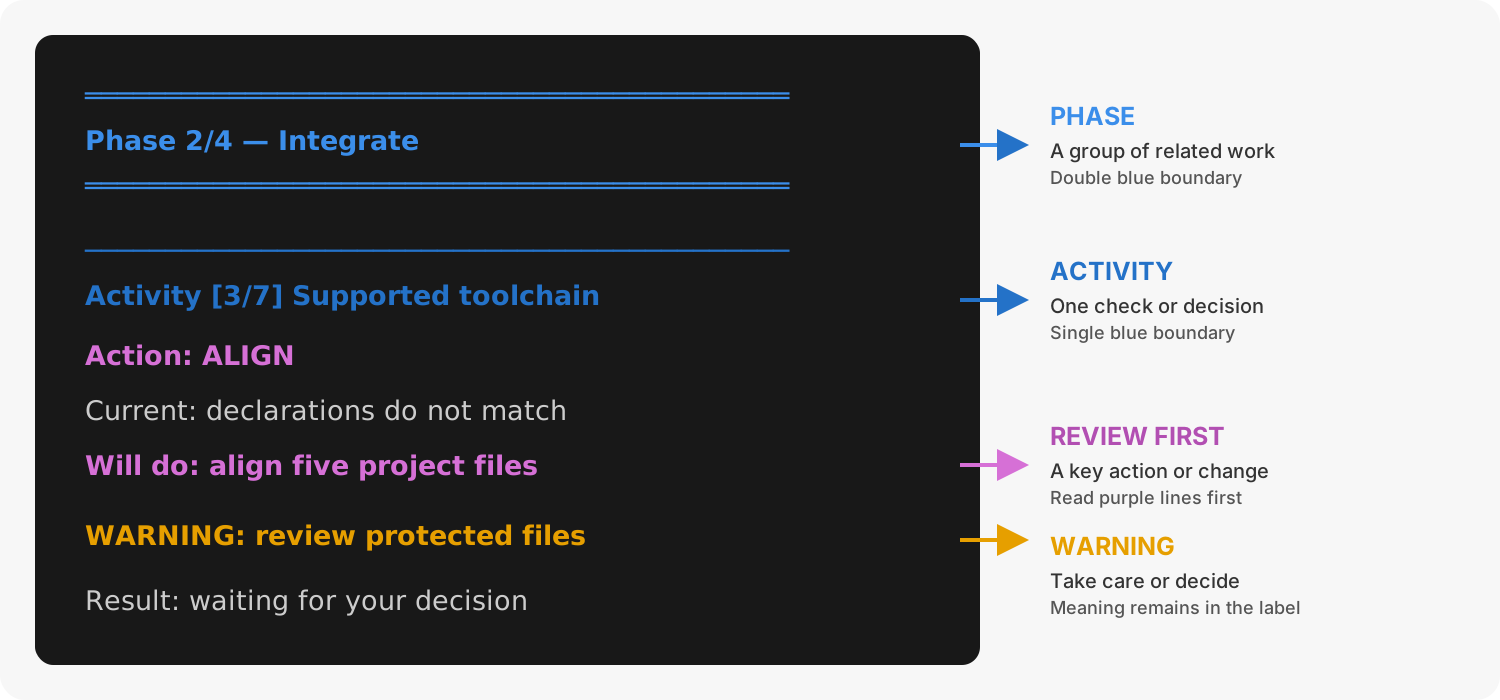
1. How to scan a phase-and-activity report
Activity [3/5] means the third displayed activity out of five; it is not an error
count. CHECK normally means no change, while ALIGN, CONFIGURE, INSTALL,
REPAIR, or CHOOSE names work an applied run may perform.
Follow a decision
Commands that can change state separate inspection from action. They show the plan before asking, and a potentially consequential action defaults to no.
y when requiredPreview and dry-run modes do not make decisions or change state. Apply mode
still does not imply blanket consent: where the command offers alternatives,
choose one; where it warns about a mutation, type an exact y to confirm it.
Pressing Enter accepts the safe default instead.
Read the fields
Table 34.1 defines the recurring labels shown beneath a activity heading.
1. Common output fields
| Field | Meaning |
|---|---|
Action |
Classification of the work, such as CHECK, ALIGN, INSTALL, or CHOOSE. |
Current |
What the command found before making any change. |
Required or Goal |
The supported or requested state against which current state is compared. |
Will do |
The bounded action available in an applied run. |
Command |
The external command that could run. Read it before confirming. |
File or Affects |
Project-relative paths or system state within the action's scope. |
Network |
Whether the action may contact a package service, mirror, or Git host. |
Recovery |
What can be restored or where a recovery record will be kept. |
Result |
Outcome of the activity, phase, plan, or complete command. |
Read status labels
The three cards below separate a completed check from a caution or failure.
WARN is not a synonym for failure. Diagnostics exits successfully when it has
warnings but no failures. A warning can still identify optional software,
protected work, drift, or a decision worth resolving before publication.
Use plain or redirected output
Prodockit removes terminal escape codes when output is redirected and writes
plain-text logs. Labels such as Phase, Activity, Action, WARN, WARNING,
Decision, and Result therefore retain the complete meaning without colour.
Do not infer success from colour alone; read the final result and exit status.
Find command-specific meaning
Table 34.2 identifies which parts of the shared language each longer command uses.
2. Commands that use the shared output language
| Command | Shared presentation | Command-specific reference |
|---|---|---|
| Bootstrap | Phases, activities, actions, warnings, and applied verification | pdk bootstrap |
| Diagnostics | Status labels normally; phases, activities, choices, recovery, and verification with --dry-run or --apply |
pdk diag |
| Adopt | Four phases, selected activities, toolchain actions, and final verification | pdk adopt |
| Pins | Current, supported, and selected versions plus explicit package decisions | pdk pins |
| Template Sync | Four phases, protected-file decisions, diffs, and template release movement | pdk template-sync |