pdk template-sync
pdk template-sync compares a generated project with its recorded template,
protects author-edited files, and coordinates a reviewed update. The default
run is a preview.
Use the Template Sync task guide for the complete review, merge, and verification workflow.
Synopsis
Use preview mode first, then apply with any protected files selected for review.
Working directory
When the project has a .venv, activate it before previewing or applying an
update. Template Sync rejects another interpreter before fetching the template
or planning installations, so it cannot align the parent Bootstrap environment
by mistake.
Run Template Sync from the top of the project repository. It deliberately
has no --root option: branch creation, protected-file comparison, staging,
and the review request must all refer to the same checkout.
From a subdirectory it reports that the directory is inside a project and
prints the cd command for its root. From a workspace holding several projects
it says that the directory holds projects rather than being one; elsewhere it
reports is not a git repository. Change directory and rerun it.
Options
Table 39.1 lists update, review, source, and prerequisite controls.
1. Template Sync options
| Option | Behaviour |
|---|---|
-a, --apply |
Apply the report on a separate branch and send it for pull- or merge-request review. |
-v, --verbose |
Show sources, comparison evidence, and individual paths. |
--push |
After confirmation, update main directly instead of using a review request; requires --apply. |
--local-only |
Apply and stage locally without committing or sending; requires --apply. |
--force FILE-PATH |
Select one edited file for a diff and overwrite, .new, or skip decision. Repeatable. |
--review-all |
Select every edited template file for individual diff review. |
--github [OWNER/REPO] |
Use the usual or named GitHub template. |
--surrey [GROUP/REPO] |
Use the usual or named Surrey GitLab template. |
--template-path PATH |
Compare with an existing local template checkout. |
--offline |
Use only the wheelhouse and validated native cache for prerequisites. |
--accept-prodockit |
Authorise an exact prerequisite Prodockit replacement without prompting. |
--accept-adopt |
Authorise prerequisite Adopt alignment without prompting. |
-h, --help |
Show installed help and exit. |
Output
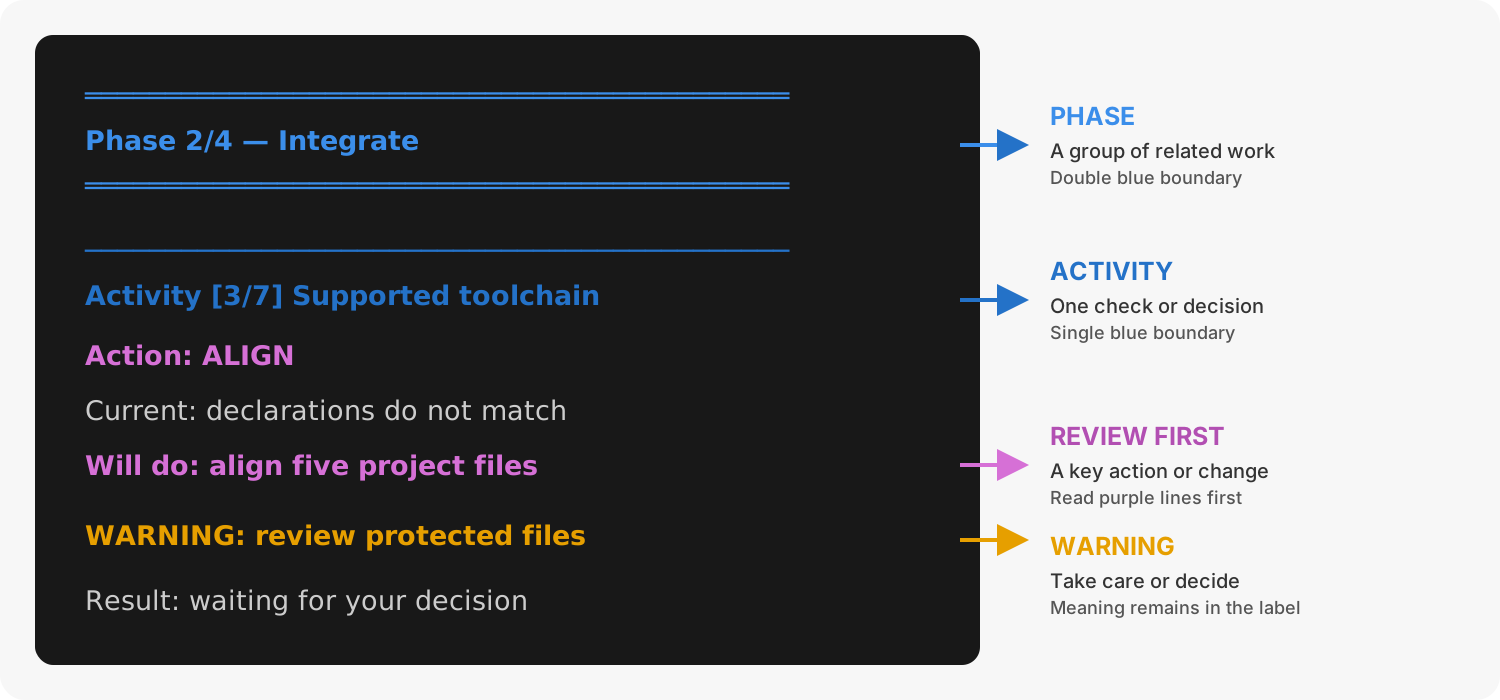
Figure 39.1 shows the output structure. Use section 29.1, Scan phases and activities for the complete explanation of Template Sync's phases, activities, actions, warnings, and decisions:
1. Template Sync output structure
Protected-file decisions
An edited template-owned file is unchanged until explicitly selected.
--review-all selects the complete protected set; --force selects named
files. The applied run shows the complete diff for each and offers:
Table 39.2 shows the three decisions available for each selected protected file.
2. Protected-file decisions
| Choice | Result |
|---|---|
overwrite |
Replace the project copy with the incoming template copy. |
new |
Keep the project copy and write the incoming version as FILE-PATH.new. |
skip |
Keep the project copy and create no sidecar. This is the default. |
Prerequisites and effects
Before copying template files, the command verifies the exact Prodockit release paired with the incoming template and reuses Adopt for supported-toolchain and component alignment. Template Sync orchestrates those commands; it does not duplicate their repair logic.
A normal applied update creates a branch and one consistent commit. GitLab merge requests are created automatically; GitHub receives the branch and a pull-request link. Project writing, figures, bibliography, and project-owned component choices are not template-owned.
Related commands
Use these commands to verify or align the project around a template update: